
John GBA
John emulatorsArcade
3.41.64K Reviews
- Version
- v4.15
- Installs
- 500.00K
- Age Rating
- Everyone
Screenshots
Our Review of John GBA
 Analysis by Appyee
John GBA is aimed at a simple pleasure: playing Game Boy Advance titles on an Android phone rather than digging out old hardware. I like the appeal, especially for short sessions with a game I already know, but an emulator is only part of the experience. You still need to bring your own game files, and touchscreen controls feel different from holding a handheld. Knowing that upfront makes it easier to decide whether this arcade game is a good fit for you.
What to expect from a GBA emulator
John GBA is made by John emulators, and its purpose is to emulate the Game Boy Advance rather than provide a library of games. The distinction matters: installing it does not mean you can immediately browse and download classic titles inside the app. You need compatible game files that you are entitled to use, and you need to know where those files are saved on your device.
The app costs $2.99, has an Everyone age rating, and is at version 4.14. Its average rating is 3.2 from around 15,000 ratings, with roughly 1,600 written reviews and more than 500,000 installs. I would treat that reception as a reason to set realistic expectations, not as a promise that every game or phone will behave identically. The key question is whether you want an emulator and are comfortable handling your own files.
For a first-time user, the clearest measure of success is modest: open a compatible game, get the controls comfortable enough to play, then confirm you can return to it without losing your place. You do not need to adjust every option before that first session. Starting with one game you already know also makes it easier to spot whether a control or setup issue is coming from the app or from the game file itself.
Getting Started with John GBA
Setting up John GBA is as easy as pie. After downloading the app from the Google Play Store, I was ready to dive into my favorite GBA games in no time. The app is surprisingly lightweight, so it won’t hog your storage space, which is a relief for those of us who love our apps lean and mean.
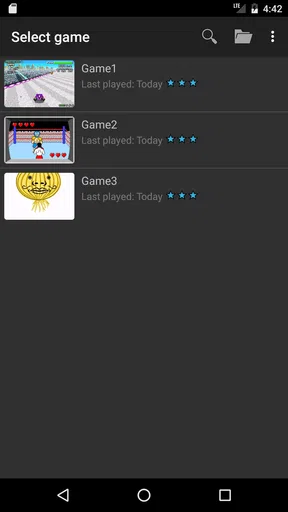
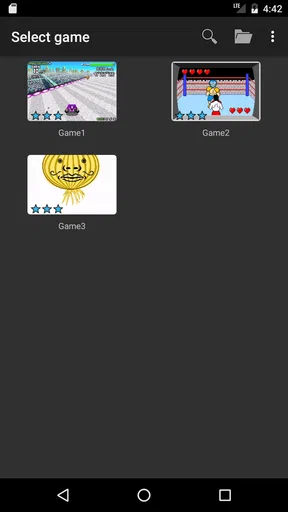
The interface is clean and straightforward. You won’t find any unnecessary frills here; it’s all about getting you into your game as quickly as possible. The main screen displays your game library, and with a simple tap, you’re off to the races. Navigating through the app feels intuitive, even if you’re not a tech wizard.
A calm first setup, one step at a time
Before opening the app, put the game file you intend to use somewhere you can find it again. If you keep files in a clearly named folder instead of scattering them across downloads and shared storage, it is easier to tell which version you selected later. This small bit of housekeeping is particularly useful if you try more than one game: a tidy location reduces the chance of mistaking a save or file for another title.
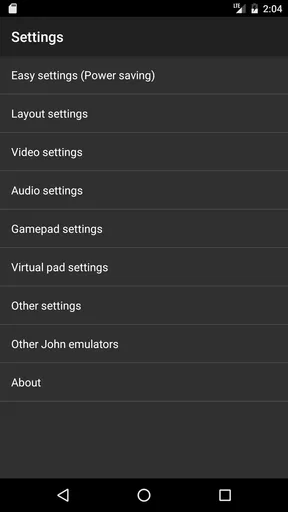
Once the game appears in the library, start with the default controls and play for a minute before changing anything. That gives you a baseline. If the buttons feel cramped, then adjust their placement or size in small increments rather than changing several controls at once. A quick test after each adjustment helps you understand what improved, and makes it easy to undo a change that made movement or menu navigation awkward.
It is also sensible to test saving early, while you have only a little progress to protect. Use the game’s own save option when available, then check that you can return to the same point. Emulator save states can be convenient for an interruption, but they are best treated as an extra checkpoint rather than the only copy of progress. Keeping those two kinds of saving distinct is a practical habit, especially in games where a normal in-game save happens infrequently.
Features That Shine
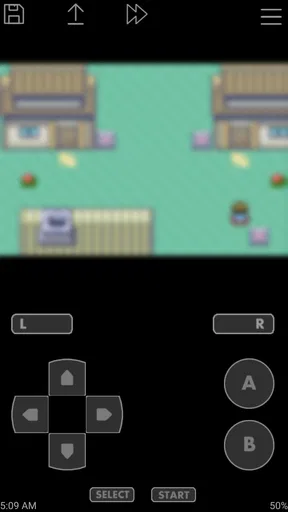
Now, let’s talk features. One of the standout aspects of John GBA is its versatility. You can customize your controls, which is a game-changer (pun intended). Whether you’re playing Pokémon or Super Mario, you can tailor the on-screen buttons to fit your style. This flexibility makes gameplay feel natural, something that’s crucial when you’re emulating games meant for a physical console.
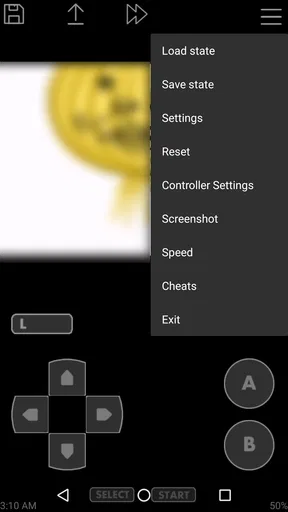
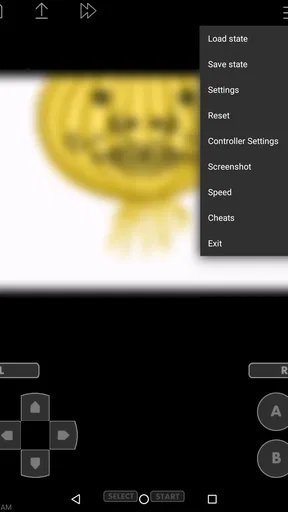
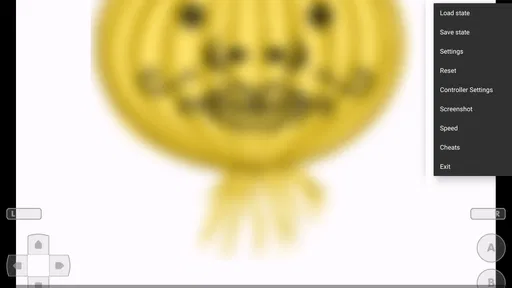
Speaking of customization, the app supports cheat codes! If you’re like me and sometimes just want to breeze through a level or two, this feature is a godsend. You can easily input and manage cheats, which is as simple as it gets.
Another cool feature is the ability to save and load your game states. This means you can pause your game anytime and pick up right where you left off. No more worrying about losing progress if you suddenly need to put your phone down. It’s like having your own personal save point.
Making the most of short sessions
A useful everyday routine is to start a game while you have a few quiet minutes, make a little progress, and save before switching apps or putting the phone away. That suits turn-based adventures and games with clear stopping points better than action stages that demand uninterrupted attention. If you are commuting or waiting for an appointment, a save state can make it easier to pause on your terms rather than reaching for a convenient in-game checkpoint.
Controls deserve a little thought based on the game, not just personal preference. A layout that works for a slower menu-driven game may be uncomfortable when a title asks for frequent directional movement and button presses together. I would try the same short section with the default layout first, then move only the buttons that regularly cause missed inputs. Making the virtual controls larger can also take up more of the display, so there is a real trade-off between visibility and screen space.
Cheats are most useful when they solve a specific frustration, such as letting you explore a game without repeating a section you have already finished. I would avoid turning on several codes at once: if something behaves unexpectedly, you will have a much harder time identifying the cause. Try one change at a time, and keep an ordinary save separate from a session where you are experimenting. That way, a playful shortcut does not become a problem for the progress you care about.
Performance and Compatibility
In terms of performance, John GBA does not disappoint. The games run smoothly without any noticeable lag, which is crucial for maintaining that authentic GBA experience. The graphics are crisp, and the sound quality is spot on, bringing those pixelated worlds to life just like you remember.
Compatibility is another area where the app shines. It supports a wide range of GBA ROMs, so you can play almost any game you wish. Just make sure you legally own the games you’re playing, as the app doesn’t provide any ROMs itself.
When another approach makes more sense
Compared with playing on original handheld hardware, an emulator offers the convenience of having a game on a phone, but it cannot reproduce the feel of physical buttons. Touch controls can cover part of the screen and may take practice, especially in games that depend on precise timing. If tactile controls are central to your enjoyment, or you already own a working handheld, that hardware may be the more satisfying choice.
Compared with other emulators, the important distinction is less about a general promise of better play and more about which platform and workflow suit you. John GBA is specifically for GBA games on Android; it is not a general-purpose answer for someone looking to manage games from several systems in one place. A person who wants a broader multi-system setup may prefer an emulator focused on that wider library, while someone who wants a straightforward GBA option can appreciate the narrower purpose.
If a game does not appear in the library, first check that the file is actually on your device and that you are looking in the location where you saved it. Do not assume the emulator supplies games or that a title name alone is enough to make a file usable. If it opens but controls feel wrong, adjust the layout before concluding that the game is incompatible. Separating file selection, control comfort, and saving into individual checks makes troubleshooting less confusing.
Common points of confusion
One easy misunderstanding is treating a save state and an in-game save as interchangeable. A state captures where the emulator is at a particular moment; a game’s own save is created through the game’s intended menus. For important progress, I would use the game’s save system when possible and use a state for convenience between natural save points. This gives you a more dependable routine than relying on one quick pause-style save.
Another is expecting every control layout to feel right immediately. Phone size, how you hold the device, and the game’s demands all affect comfort. If your thumbs obscure the action or you keep pressing the wrong button, stop and make one targeted adjustment rather than trying to adapt through a long session. A few minutes spent finding a workable layout can matter more than adding cheats or exploring other settings.
The app is also not the right choice if you want a ready-made catalogue or an emulator that runs on iOS. It is an Android app, and the game files remain the user’s responsibility. If your priority is discovering games inside a service, choose a legitimate game collection instead; if your priority is authentic physical controls, use suitable hardware. John GBA makes most sense when you already have a lawful game file and want to play it on an Android phone.
User Experience and Final Thoughts
Now, I wouldn't be doing my job if I didn’t mention a couple of quirks. While the app functions beautifully, the free version does come with ads. They’re not too intrusive, but if you’re someone who can’t stand interruptions, you might want to consider the paid version, which is ad-free.
Overall, I’m genuinely impressed with John GBA. It’s like having a mini GBA console right in your pocket. Whether you’re a die-hard fan of classic games or someone looking to explore the GBA library for the first time, this app is a must-try. It’s user-friendly, versatile, and delivers on performance, making it a fantastic choice for any retro gaming enthusiast.
So, what are you waiting for? Dust off those old ROMs and dive back into the world of GBA gaming. Trust me, you won’t regret it!
Who I would recommend it to
I would recommend it to an Android user who already has a GBA game file they are entitled to use, wants a direct way to play it, and is happy to spend a little time arranging touch controls. It is also a reasonable fit for someone returning to a familiar game: knowing how its menus and saving work makes the first session less intimidating, and short bursts of play suit the phone format well.
I would skip it if you expect games to come bundled with the emulator, need a version for iPhone, or dislike touchscreen controls enough that they would spoil the game. The $2.99 price is worth weighing against that expectation: the purchase is for the emulator, not a collection of titles. If that distinction matches what you want, its focused approach is easy to understand; if not, a legitimate game service or original hardware is a better starting point.
My practical recommendation is to install it, choose one legally obtained game, and aim for a small first win: open the file, make the controls comfortable, and test a save before investing a long session. That simple path tells you whether the app fits your phone and play style without turning setup into a project. For a first-time emulator user, that is the reassuring part: you can learn the essentials through one game and decide from experience whether you want to continue.
Verdict
Strengths of John GBA
- High customization of controls.
- Supports cheat codes and save states.
- Fast and smooth performance.
- Offline play is available.
- No ads interrupting gameplay.
Limitations of John GBA
- Limited free version features.
- No multiplayer connectivity.
- Occasional audio glitches.
- Requires manual ROM loading.
- UI design feels outdated.
Other Releases by John emulators
View All
John GBC
Arcade3.8
Similar Picks in This Category
View All
Subway Surfers
SYBO Games4.6

Stickman Party 234 MiniGames
PlayMax Game Studio4.6

Subway Princess Runner
Ivy4.4

Temple Run
Imangi Studios4.2

Zombie Tsunami
Mobigame SAS4.6

Stack Ball - Crash Platforms
CASUAL AZUR GAMES4.5
Frequently Asked Questions
What is John GBA, and what makes it unique?
John GBA is a Game Boy Advance emulator available for Android devices. It stands out due to its high compatibility with a wide range of GBA games, along with features like customizable controls, cheat code support, and the ability to save and load game states anywhere. Its user-friendly interface makes it accessible for both beginners and veteran gamers.
Is John GBA free to use, or does it have any costs associated with it?
John GBA offers both free and paid versions. The free version contains ads, while the paid version, called John GBA Full, is ad-free and offers additional features. Users can choose the version that best suits their needs based on whether they prefer an ad-free experience or are content with the free version's capabilities.
How do I load games onto John GBA, and what file formats are supported?
To load games onto John GBA, you need to have game ROMs in .gba format. These ROM files can be stored on your device's internal storage or an external SD card. Simply navigate to the folder containing the ROMs through the app interface to start playing. It’s important to ensure you own the original games when using ROMs.
Are there any legal concerns with using John GBA?
Using an emulator like John GBA is generally legal; however, downloading ROMs of games you do not own is illegal in many jurisdictions. It's crucial to only use ROMs from games that you own a physical copy of. Always check your local laws and regulations to ensure compliance when using emulators and ROMs.
What are the system requirements for running John GBA effectively?
John GBA runs on most modern Android devices, but for optimal performance, a device with at least 1GB of RAM and a 1GHz processor is recommended. The app is designed to be lightweight, ensuring smooth gameplay even on devices that are a few years old. Regular updates also help maintain compatibility with newer Android versions.
Play our best games!


